Features

Everything it takes to finish the document.

Edit, redact, fill, sign, assemble and export, on your Mac, iPhone and iPad. Every page stays on your device.

Edit in place

Change the words already on the page.

Click Edit, click a paragraph, and type. Papayra edits the existing text where it stands, with the document’s own letters and fonts when the document carries them, so the page keeps its look: the same size, the same spacing, the same columns.

  • Fix a date, change a name, rewrite a sentence.
  • Bold, italic, underline, size and colour for any run of words.
  • Move or resize a paragraph, a picture or a box.
  • Undo as you go, and save back into the same file.
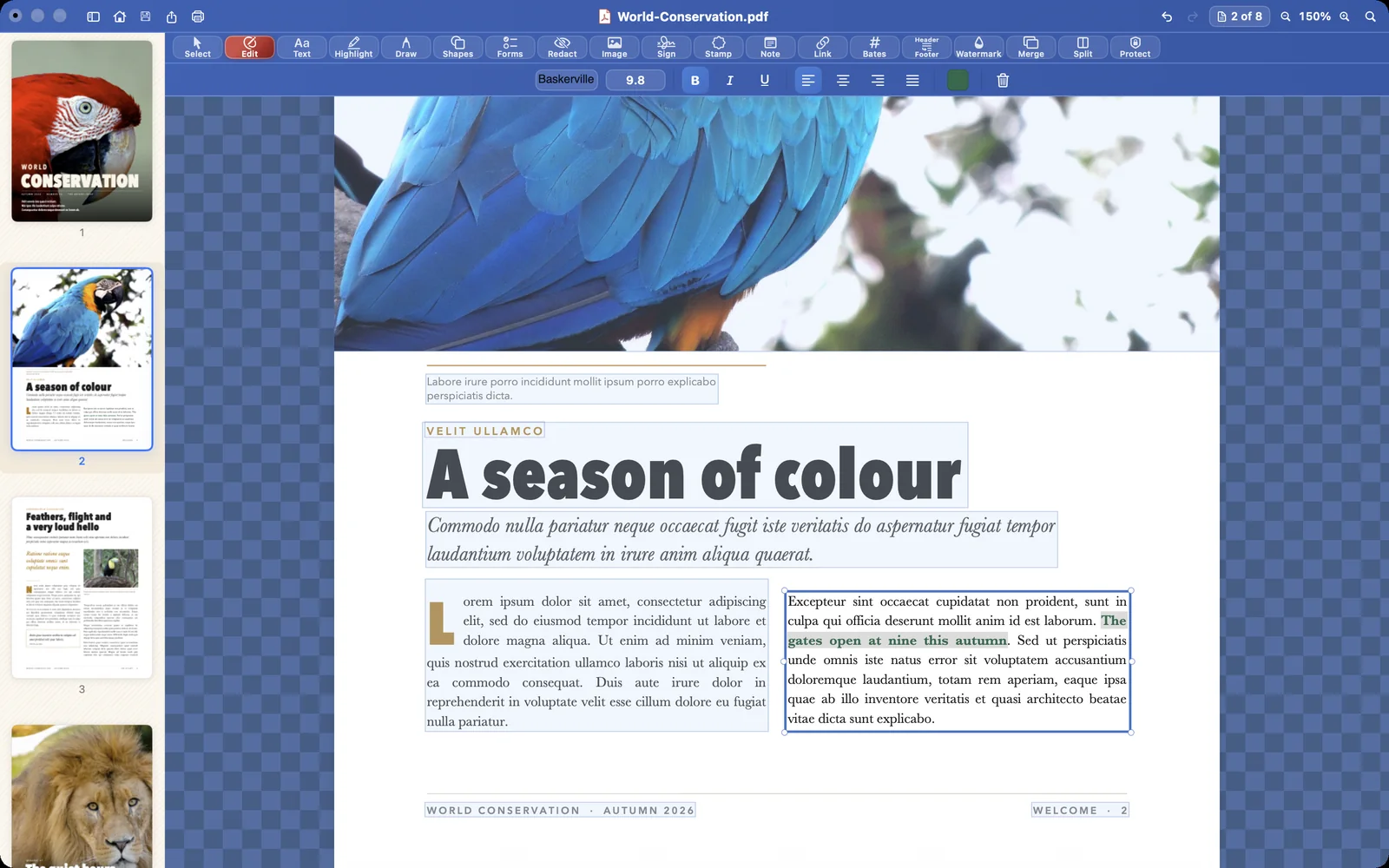
Papayra for Mac in Edit mode: every block of text in a light-blue box, the paragraph being edited white with handles, and the words just typed set in bold and green from the style bar, in the page’s own typeface.
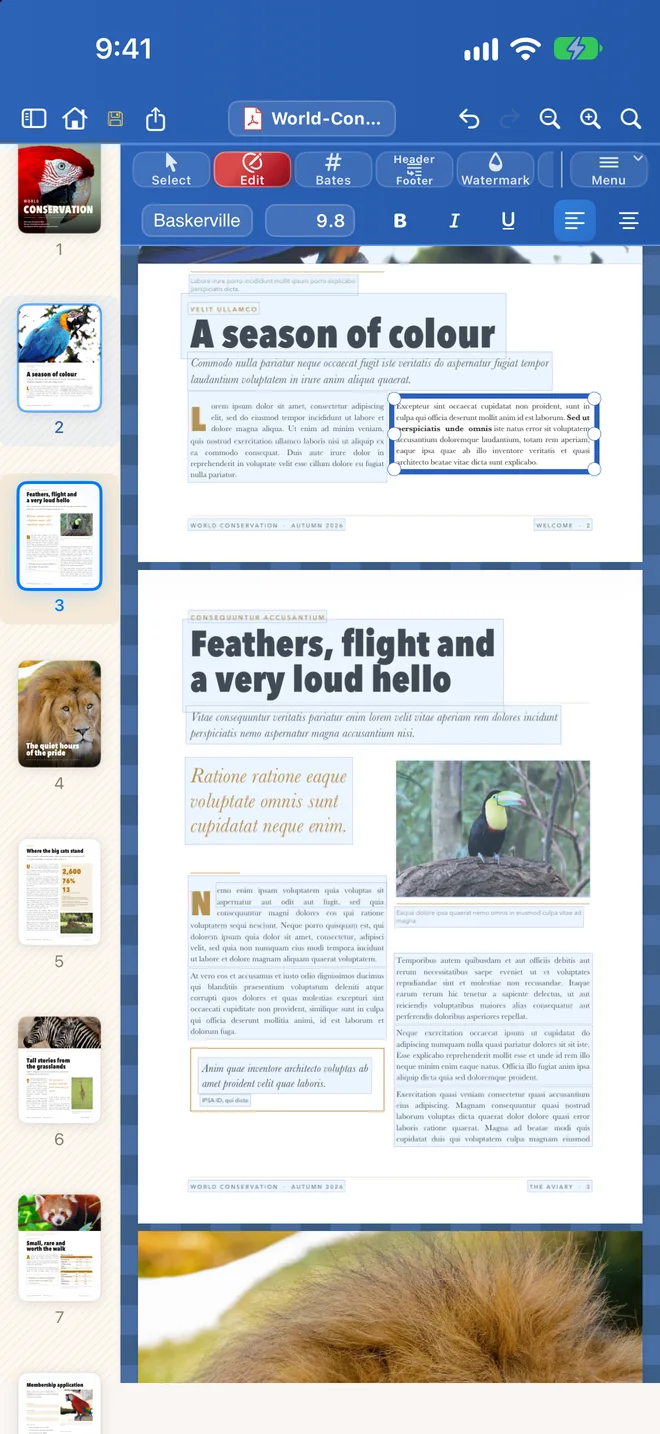
Papayra for iPhone with a run of words selected and the style bar showing bold, italic and underline.

Redaction

Redaction that really removes the text.

Select the words, search for every match in the document, or draw a box. When you apply the redaction, the text underneath is deleted from the file. It is not hidden behind a black rectangle that someone can copy out later.

  • Redact selected words, every match of a search, or an area you draw.
  • See what will go before you apply it.
  • Check it yourself: in the saved file, the redacted words are not there to select, search or copy.
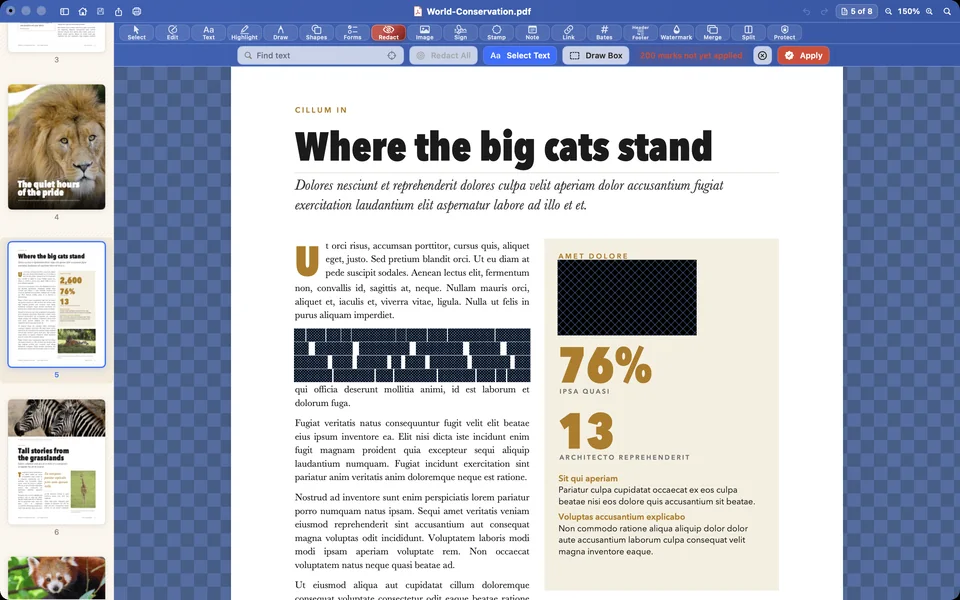
Words and a figure on the page Where the big cats stand marked for redaction in Papayra for Mac: dark-blue boxes crossed with fine lines, not yet applied.
Marked. The paragraph is shaded; nothing is removed yet.
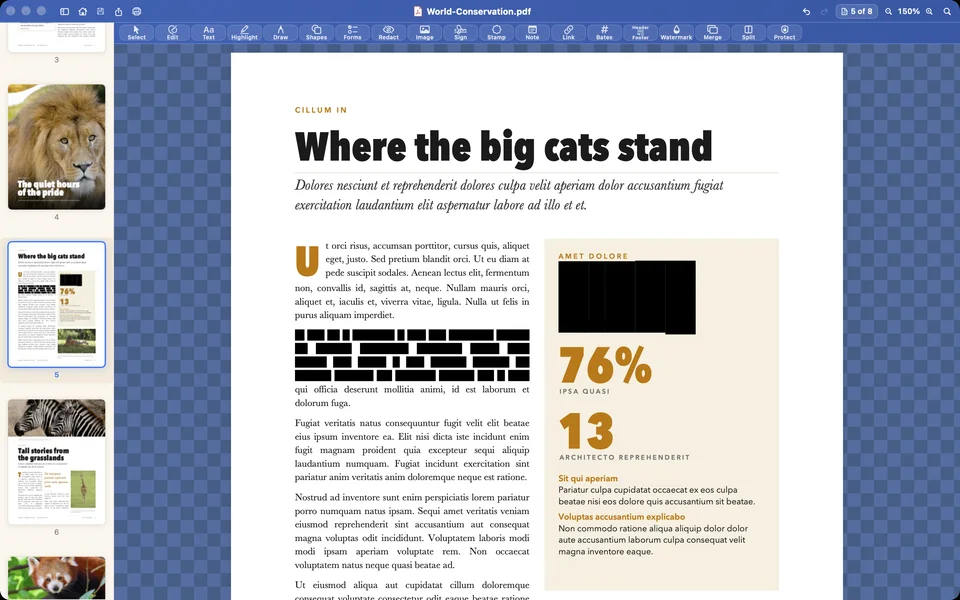
The same page after the redaction is applied: solid black bars where the words and the figure were.
Applied. The words are gone from the file, not just covered.

Forms and signatures

Fill it in. Sign it. Send it.

Papayra finds the fields in a form, or lets you add your own. Type into them, tick the boxes, and place your signature, typed or drawn, exactly where it belongs.

  • Text fields, check boxes and signature fields.
  • Typed or drawn signatures; on iPhone and iPad, draw with a finger or Apple Pencil.
  • Signatures are placed on the page and saved with the document.
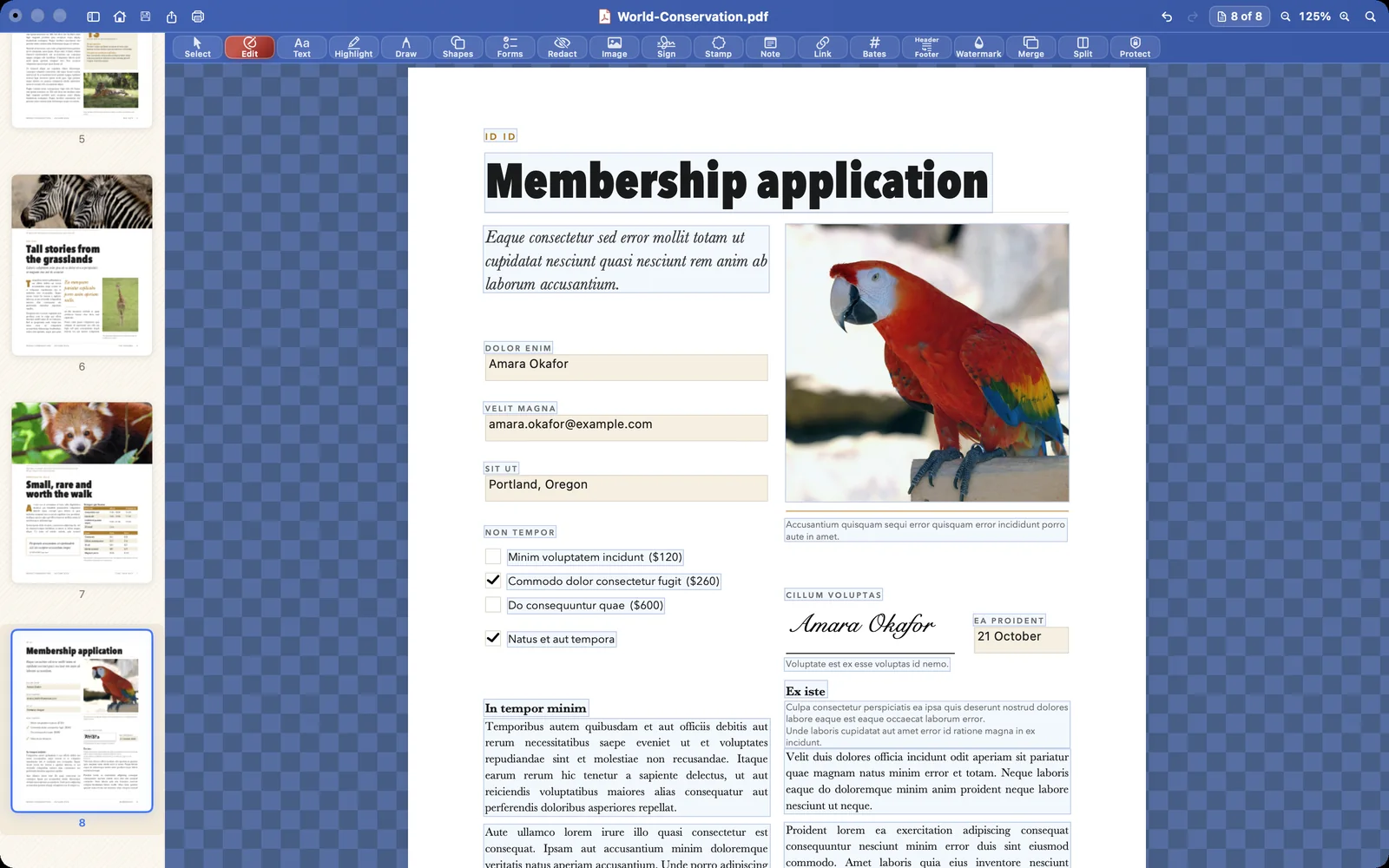
Papayra for Mac showing a membership application with a typed signature placed on the signature line.
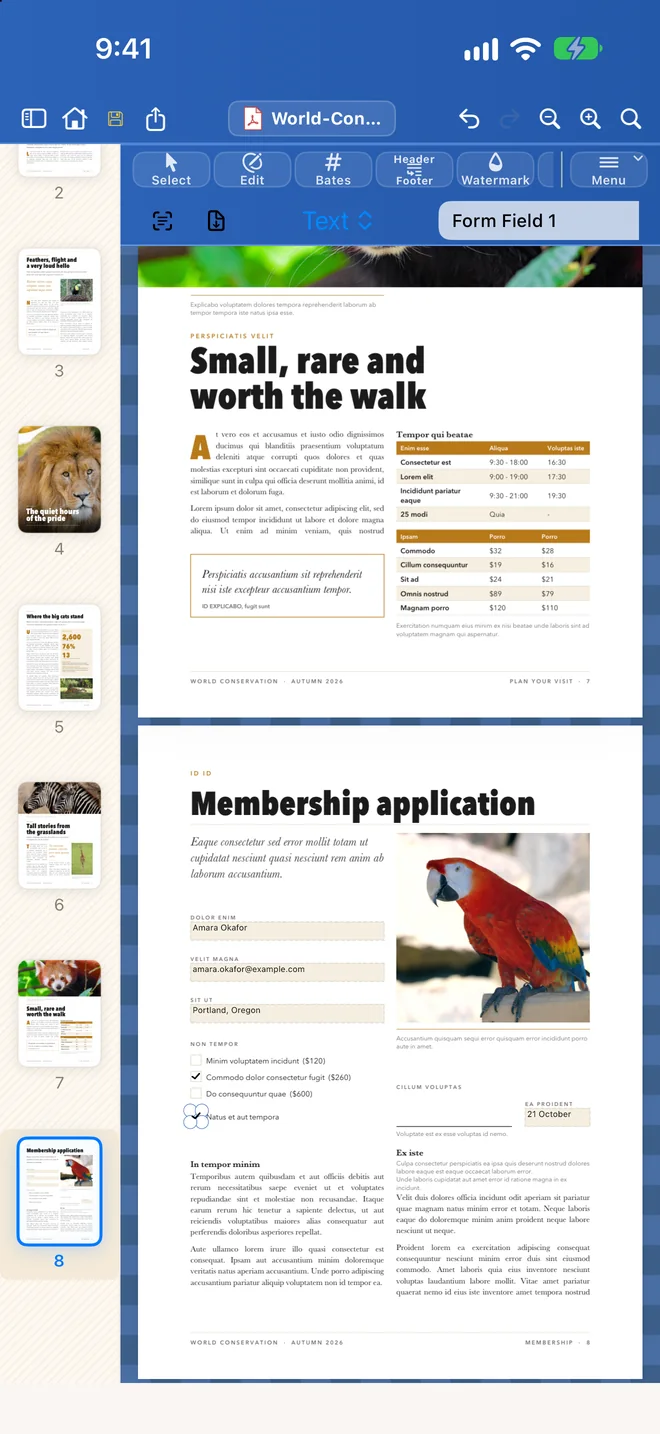
Papayra for iPhone showing the same form, filled in with the Forms tool.

Pages

Put the pages in order.

Merge documents, split one apart, or pull out the pages you need. Insert, delete, duplicate, rotate and reorder pages in the page sidebar.

  • Combine PDFs into one document.
  • Split a document, or extract a range of pages.
  • Reorder pages in the sidebar; turn a sideways scan the right way up.
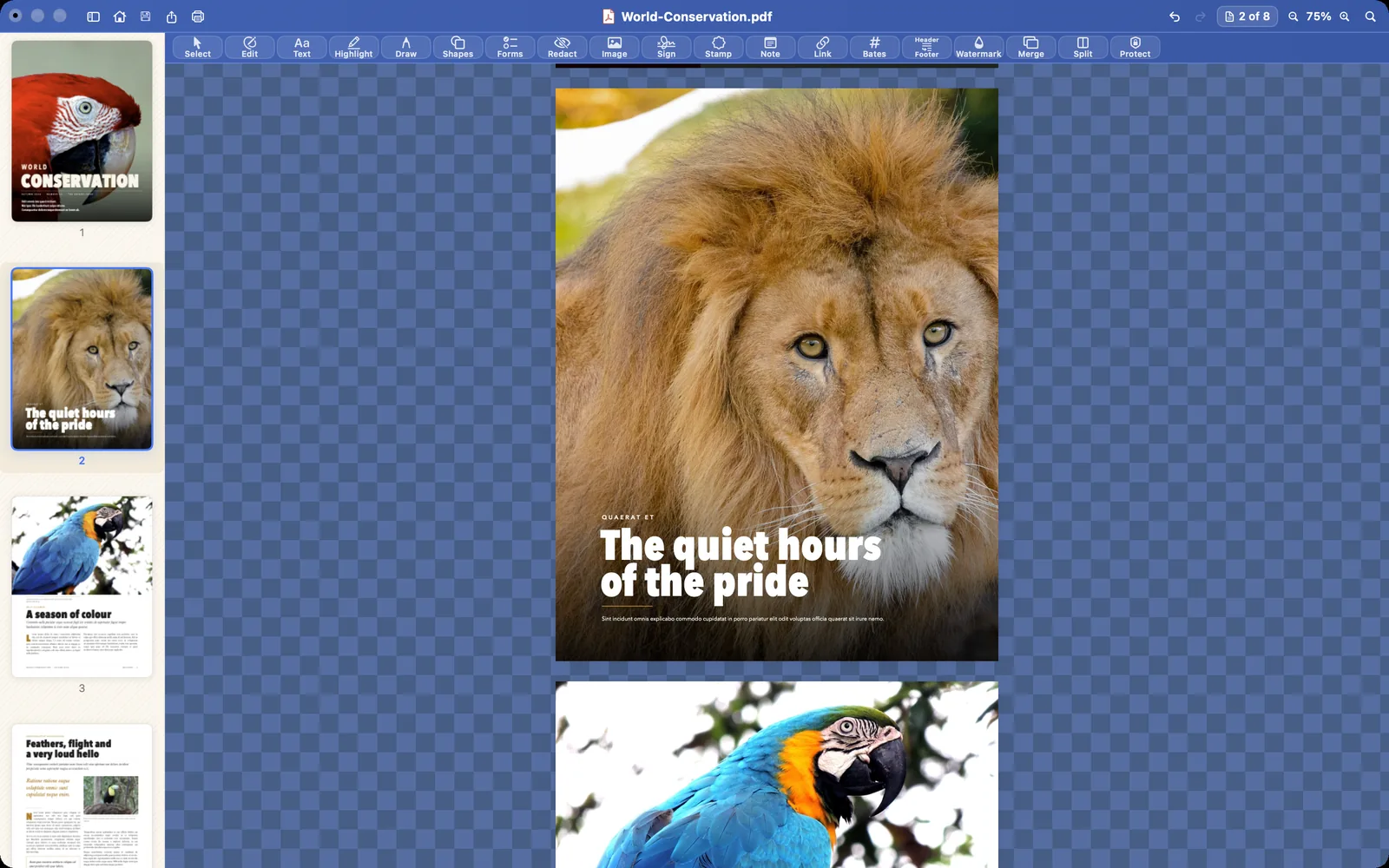
Papayra for Mac with the page thumbnails on the left, the lion page moved up to page 2 and selected.

For the filing

Bates numbers, headers and PDF/A.

Stamp every page with a Bates number, add page numbers, headers, footers and watermarks, and export to PDF/A, the archival format courts and records offices ask for.

  • Bates numbering with your own prefix.
  • Page numbers, headers and footers.
  • PDF/A export for court filing and long-term archives.
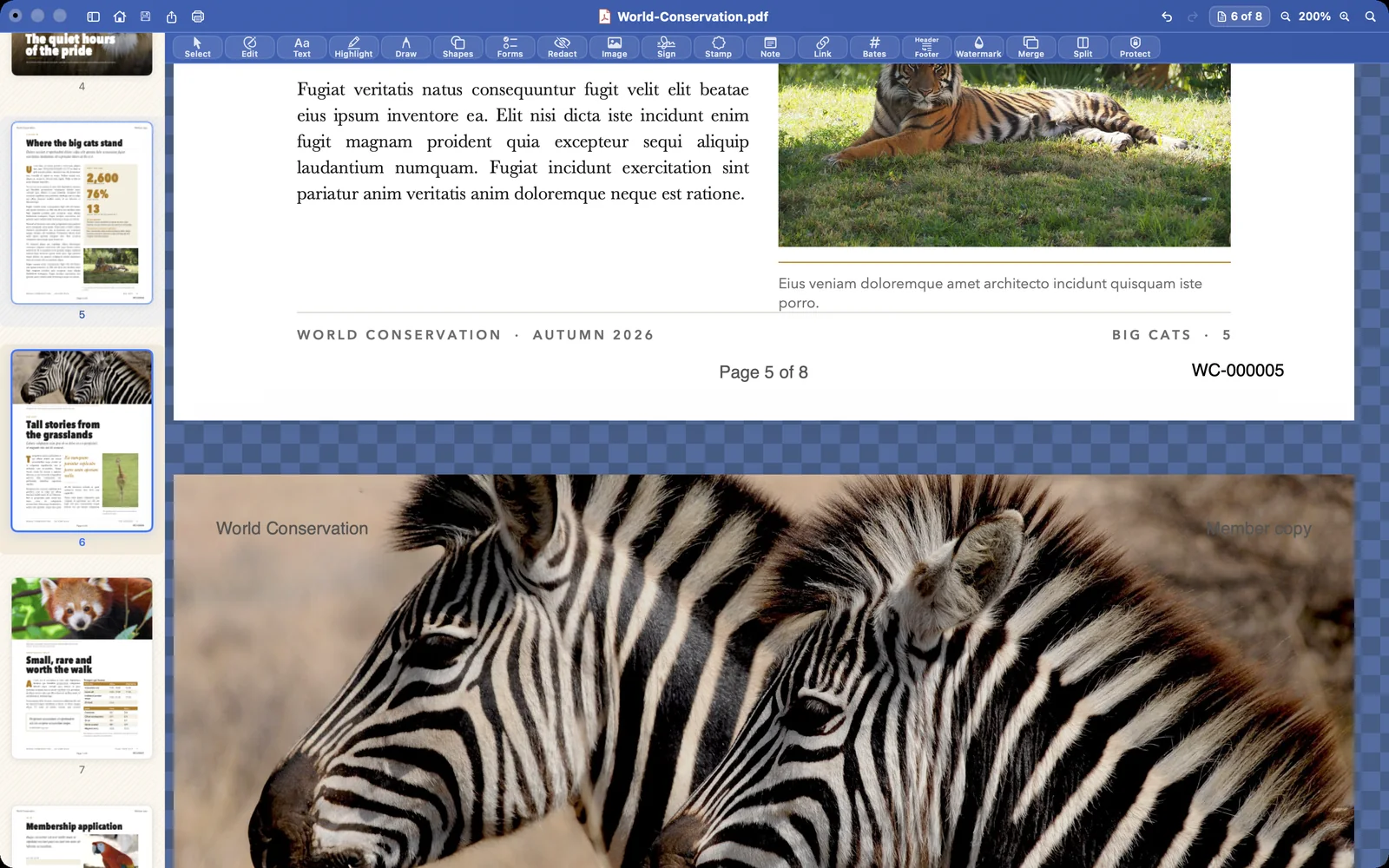
A page in Papayra for Mac with its page number, Page 5 of 8, and the Bates number WC-000005 stamped at the foot.

And the rest

Export, compress, protect, mark up.

Export to Word

Turn a PDF into an editable Word document (.docx) when someone needs to keep working on it.
Export to PDF/A

Write an archival PDF for court filing and long-term records.

Compress

Make a large file small enough to email or upload where you choose.

Protect and unlock

Protect a PDF with a password, or unlock a file you own.

Mark it up

Highlight, draw, and add notes, shapes, stamps, links and images.

Print and share

Print from your Mac; on iPhone and iPad, open from Files, Mail or Messages and share the result to any app.

The complete list

Everything in Papayra 1.0.

  • Edit text in place, with the document’s own letters and fonts when it carries them
  • Bold, italic, underline, size and colour
  • Move and resize paragraphs, pictures and boxes
  • Redact selected words, every search match, or a drawn area
  • Find the fields in a form, or add your own
  • Typed or drawn signatures
  • Highlights, drawings, notes, shapes, stamps, links and images
  • Merge documents; split; extract pages
  • Insert, delete, duplicate, rotate and reorder pages
  • Bates numbers, page numbers, headers and footers
  • Watermarks
  • Compress
  • Protect with a password; unlock a file you own
  • Export to Word (.docx)
  • Export to PDF/A
  • Print, and save back into the same file
  • On iPhone and iPad: open from Files, Mail and Messages; share anywhere
  • No account, no upload; buy once, or by the year

Try it on your own documents.

Start the yearly plan with a free month, or buy Papayra once and own it.